Enterprise Resource Planning (ERP): A Beginner's Guide
Accounting SoftwareBusiness SoftwareData Platforms
Running a growing business on separate spreadsheets, apps, and inboxes works - until it does not. Orders get lost between systems, stock counts never match, and nobody trusts the numbers at month end. That is usually the moment owners start looking at enterprise resource planning (ERP) software. This beginner's guide explains what enterprise resource planning (ERP) actually is in plain words, what it does day to day, what it typically costs, and how to decide whether your business is ready for it - or better off waiting.
What Is Enterprise Resource Planning (ERP), in Plain Words?
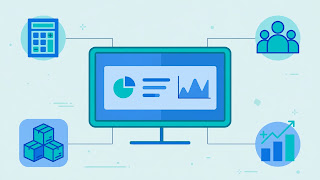
Enterprise resource planning (ERP) software is a single system that runs the core operations of a business: finances, stock, staff, purchasing, and sales. Instead of each department keeping its own records in its own tool, everyone works from one shared database. When a sale is made, the ERP updates the stock count, creates the invoice, and records the revenue at the same time. When a purchase order is raised, the budget, the warehouse, and the accounts payable list all see it.
The practical benefit is not the software itself - it is the single source of truth. There is no "my spreadsheet says otherwise" argument, because there is only one set of numbers. For a small team, that removes hours of re-typing data between tools and the errors that come with it. For a larger team, it creates an audit trail: every transaction shows who did what, and when.
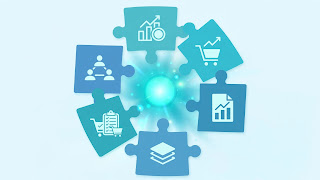
ERP systems are sold as a suite of modules. You typically start with the two or three modules you need most and add more later, rather than switching everything on at once.
The Core ERP Modules Explained
Accounting and Finance
The financial module is the heart of most ERP systems. It handles the general ledger, accounts payable and receivable, bank reconciliation, budgeting, and financial reports. If your main pain is bookkeeping, note that a dedicated accounting tool may be enough on its own - our complete guide to QuickBooks for small business accounting shows what standalone accounting software covers before you commit to a full ERP.
Inventory and Warehouse Management
This module tracks stock levels across locations, sets reorder points, manages warehouses, and connects purchasing to actual demand. For product businesses, it is often the module that pays for the whole system, because it prevents both stockouts and money sitting idle on shelves.
Human Resources
HR modules store employee records, run payroll, track leave and attendance, and support hiring workflows. Smaller businesses often keep HR separate for longer, but once headcount passes a few dozen people, having staff data in the same system as payroll and costs starts to matter.
Sales and CRM
Many ERPs include a basic customer relationship module covering quotes, orders, and customer history. It is rarely as polished as a dedicated CRM, so if sales pipeline management is your priority, compare it against the tools in our roundup of the best CRM software for startups before assuming the built-in option is enough.
Purchasing and Supply Chain
This module manages suppliers, purchase orders, approvals, and goods received. It links what you buy to what you sell, so margins are visible per product instead of guessed at the end of the quarter.
Cloud ERP vs On-Premise ERP
Cloud ERP runs on the vendor's servers and you access it through a browser, paying a subscription per user per month. On-premise ERP is installed on your own servers, usually bought with a larger one-time license, and your team is responsible for updates, backups, and security.
- Upfront cost: Cloud is far lower - no servers to buy. On-premise demands significant capital at the start.
- Updates: Cloud vendors push updates automatically. On-premise updates are your project, and many companies delay them for years.
- Access: Cloud works anywhere with an internet connection, which suits remote and multi-site teams. On-premise often needs a VPN.
- Control: On-premise gives deeper customization and data control, which some regulated industries still require.
- Ongoing cost: Cloud subscriptions never stop, so over many years the totals can converge - one reason to read our breakdown of the hidden costs of SaaS subscriptions and how to audit them before signing a long contract.
For most small and mid-sized businesses today, cloud ERP is the sensible default. On-premise mainly makes sense where regulations, poor connectivity, or heavy customization demand it.
What Does ERP Typically Cost a Small Business?
ERP pricing varies widely, but the patterns are consistent. Cloud ERP for small businesses commonly starts in the range of tens of dollars per user per month for entry-level products, while mid-market systems commonly run into the low hundreds per user per month once you add inventory, manufacturing, or multi-entity features. Implementation is the cost people underestimate: setup, data migration, and training commonly add a one-time amount comparable to the first year or two of subscription fees, and complex projects can cost far more.
To budget realistically, count four things: the subscription or license, implementation and migration, training and the productivity dip while the team learns, and any integrations with tools you keep. If a quote only covers the first item, it is not the real price.
How to Choose an ERP: A Step-by-Step Approach
- Map your painful processes first. List the three workflows that waste the most time or cause the most errors. The ERP must fix those; everything else is a bonus.
- Decide your must-have modules. Most small businesses start with accounting plus inventory, or accounting plus sales - not the whole suite.
- Set a total budget, not a license budget. Include implementation, migration, and training, with room for overruns.
- Shortlist two or three vendors and trial with your own data. Enter real products, real customers, and a real month-end. Demos with sample data hide the problems.
- Check integrations. Confirm the ERP connects cleanly with your bank, your storefront or POS, and any CRM or payroll tool you plan to keep.
- Plan the rollout in phases. Go live with the core modules, stabilize, then expand. Big-bang launches are the most common cause of failed projects.
Common ERP Mistakes to Avoid
- Buying for the business you wish you had. Enterprise features for a 10-person team add cost and complexity you will feel every day.
- Skipping data cleanup. Migrating duplicate customers and dead stock records just moves the mess into a more expensive system.
- Undertraining the team. If staff keep shadow spreadsheets, the ERP never becomes the source of truth and the project quietly fails.
- Customizing too early. Use the standard workflows for a few months first; many "essential" customizations turn out to be old habits.
- No internal owner. Somebody on your team must own the system day to day, or every small issue becomes a vendor ticket.

Who Should NOT Get an ERP Yet?
ERP is not automatically the next step. If you are a very small team whose accounting software still does everything you need, an ERP will mostly add overhead. If your processes change every month because the business model is still settling, locking them into a rigid system can slow you down. And if the real problem is one narrow area - invoicing, say, or stock counts in a single location - a focused tool will fix it faster and cheaper. The honest test: if you cannot name two or three cross-department problems an ERP would solve, you probably do not need one yet.
Frequently Asked Questions
What is the difference between ERP and accounting software?
Accounting software handles money: invoices, bills, payroll, and reports. ERP includes accounting but adds operations - inventory, purchasing, HR, and sales - in one database, so a sale or purchase updates every part of the business at once.
How long does ERP implementation usually take?
For a small business using cloud ERP with a few modules, going live commonly takes a few weeks to a few months. Large or heavily customized projects can take much longer. The timeline depends more on data cleanup and team training than on the software itself.
Can a very small business benefit from ERP?
Yes, if it sells physical products, manages stock across locations, or is drowning in re-typed data. Service businesses with a handful of staff often get more value from good accounting and CRM tools until growth creates cross-department pain.
Is cloud ERP secure?
Reputable cloud vendors typically invest far more in security, backups, and uptime than a small business can on its own servers. Check for encryption, role-based access, and regular backups, and confirm where your data is stored if your industry has rules about it.
What happens to my data if I cancel a cloud ERP?
Most vendors let you export your data in standard formats, but the exact process and any retention window vary by contract. Confirm export terms before signing, not when you are trying to leave.
Conclusion
Enterprise resource planning (ERP) software earns its keep when a business outgrows disconnected tools: one database for finance, stock, staff, and sales, with no re-typing and no arguments about whose numbers are right. Start with the modules that fix your worst processes, budget for implementation and training - not just the subscription - and phase the rollout. And if your current tools still cope, waiting is a legitimate decision: the best ERP project is the one your business is actually ready for.