The Hidden Cost of SaaS
Accounting SoftwareBusiness SoftwareCloud & Productivity Tools
Every SaaS product advertises a clean monthly price, usually per user, and that number is almost never what you actually pay. The hidden cost of SaaS is the difference between the sticker price on the pricing page and the total that quietly leaves your bank account over a year - for implementation, extra seats, add-ons, integrations, and tools nobody uses anymore. Individually these costs look small. Added together across a dozen subscriptions, they commonly rival the price of the software itself. This guide breaks down where the hidden costs hide, how to audit what you are really spending, and how to cut the waste without cutting capability.
Why the Sticker Price Misleads
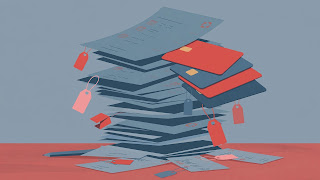
Pricing pages are designed to anchor you on the smallest possible number. The advertised tier is usually billed annually, assumes a minimum seat count, and excludes everything that makes the product useful in a real business: onboarding, premium support, advanced features, integrations, and the higher tier you will be pushed into the moment you outgrow a limit. The price also assumes your team size and usage stay frozen - which they never do. A tool bought for five people gets seats added one at a time, each addition too small to trigger a review, until the renewal arrives at triple the original quote.
There is also a timing trick. Monthly prices look painless, so tools get adopted casually, often by individual employees on personal cards. No single purchase feels like a decision. The result is subscription sprawl: a portfolio of recurring charges that nobody owns, nobody reviews, and nobody can fully list from memory.
The Main Hidden Costs
Per-seat creep
The most common leak. Seats are added for new hires, contractors, and interns, but rarely removed when people leave or change roles. Many contracts also round up to tier minimums, so you pay for licenses that were never assigned to anyone.
Onboarding and implementation
Setup fees, data migration, configuration, and staff training time are real costs that never appear on the pricing page. For larger platforms, implementation can cost as much as the first year of the subscription, and the hours your own team spends learning the tool are a cost too - just an invisible one.
Integrations
Modern tools rarely work alone. Connecting them takes middleware subscriptions, paid API tiers, or developer time, and each integration is another recurring line item plus another thing that breaks when one side updates.
Add-ons and tier traps
The feature you actually need - advanced reporting, SSO, audit logs, extra storage - commonly sits one tier above the one you bought, or is sold as a paid add-on. Vendors design tier boundaries so that growing teams hit them quickly, and the jump is rarely proportional: doubling your price to unlock one feature is a familiar story.
Annual-contract lock-in
Annual billing usually carries a discount, but it also removes your leverage. If the tool disappoints in month two, you own it until month twelve. Auto-renewal clauses then roll the contract forward silently if nobody diarizes the cancellation window.
Data export and exit costs
Leaving is priced too. Some vendors restrict exports on lower tiers, charge for data extraction, or make the process slow enough that you pay for extra months during migration. The cheaper a tool was to start, the more carefully you should check what it costs to leave.
Unused seats and shelfware
Software bought for a project that ended, a pilot that never rolled out, or a champion who left the company keeps billing quietly. Shelfware is pure waste - you are paying full price for zero usage.
Price rises at renewal
Introductory pricing expires, discounts quietly drop off, and vendors raise list prices. A renewal quote 10 to 20 percent higher than the first year is common, and it lands on a desk where nobody remembers the original deal.
These costs compound in bigger systems. When you move up to company-wide platforms like those in our beginner's guide to ERP software, its modules and typical costs, the same traps - implementation, per-seat pricing, tier jumps, and exit costs - appear at a much larger scale, which is why the audit habit below matters more as you grow.
How to Audit Your Current Subscriptions
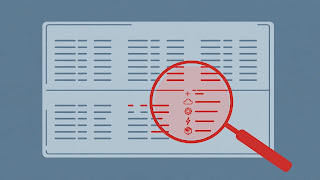
You cannot cut what you cannot see. A simple audit takes an afternoon and needs only a spreadsheet with five columns: tool, monthly or annual cost, number of seats paid for, actual active users, owner, and renewal date. Work through it in four steps:
- List everything. Pull the last three months of bank and card statements and company expense reports, and note every recurring software charge. Ask each team lead what their team uses - the statement alone will miss tools paid on personal cards and reimbursed.
- Check usage. Most admin consoles show last-login or active-user reports. Compare seats paid for against people who logged in during the last 60 to 90 days. The gap is your first savings target.
- Assign an owner. Every subscription gets one named person responsible for justifying it at renewal. Unowned tools get cancelled by default - if nobody will defend it, nobody needs it.
- Diarize renewals. Record each renewal date and set a reminder 30 to 60 days ahead. That window is when downgrades, seat reductions, and renegotiation are still possible.
The same discipline applies to core accounting tools. Our QuickBooks 2026 ultimate guide for small businesses walks through plan tiers where the same pattern holds - add-on payroll, extra users, and plan limits are where the real cost of the subscription is decided.
How to Cut the Waste
Start with the obvious: cancel shelfware and remove seats for people who have left or stopped using a tool. Then downgrade tiers - many teams pay for an advanced plan for one feature that a cheaper plan, or a free workaround, covers. Consolidate overlapping tools next: if two products do the same job for different teams, pick one, negotiate a company-wide deal on it, and retire the other. Overlaps are common in project management, file storage, and communication tools, where departments adopt their own favorites.
Finally, negotiate renewals instead of accepting them. Vendors would rather discount than lose the account, and simply asking - armed with your usage numbers and a credible threat to downgrade - commonly wins a better rate or a price lock. Timing purchases helps too: seasonal promotions such as the ones we track in our roundup of Black Friday software deals for 2026 are often the cheapest moment of the year to switch or prepay a tool you have already decided to keep.
A Worked Example
The following is an illustrative example with round numbers, not a quote. Imagine a 20-person company using a project tool advertised at $10 per user per month. The sticker math says $200 a month, $2,400 a year. Now the real year unfolds: seats creep to 26 as contractors are added ($260 a month), two managers need the advanced tier at $20 (an extra $20 a month), a reporting add-on costs $49 a month, an integration service costs $29 a month, and onboarding took a one-time $500 plus roughly 15 staff hours. At renewal the vendor raises prices by 15 percent. The actual first-year total lands near $5,400 - more than double the sticker math - before counting the four seats nobody has used since spring. An audit that removes those seats, drops the add-on, and negotiates the renewal back down recovers roughly $1,500 a year from this one tool alone. Multiply that pattern across ten subscriptions and the hidden cost of SaaS stops being a rounding error and becomes a budget line worth managing.
FAQ
How much do companies typically overspend on SaaS?
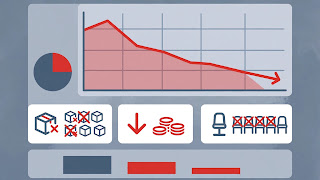
It varies, but audits commonly find that a meaningful share of seats - often in the range of a fifth to a third - show no recent usage. The exact figure matters less than the habit: if you have never audited, you are almost certainly paying for shelfware.
Is annual billing ever worth it?
Yes, once a tool has proven itself. The annual discount is real savings on software you are confident you will keep. The mistake is signing annual contracts for unproven tools. Start monthly, commit annually only after a few months of genuine use.
What is the fastest single saving?
Seat clean-up. Removing licenses for departed staff and inactive users takes minutes per tool, needs no negotiation, and the savings start at the next billing cycle.
How often should we run a SaaS audit?
A light review every quarter and a full audit once a year works for most small and mid-sized teams. The quarterly review mainly checks seats and new subscriptions; the annual one re-tests whether each tool still earns its place.
Should we use a subscription management tool?
For a handful of subscriptions, a spreadsheet and calendar reminders are enough. Once you pass a few dozen tools or multiple departments buying independently, dedicated spend-management software starts paying for itself - which is itself a subscription, so audit it too.
Conclusion
The hidden cost of SaaS is not a trick played on careless buyers - it is the natural result of per-seat pricing, tier design, and subscriptions that renew themselves while nobody is watching. The fix is equally unglamorous: list everything you pay for, check who actually uses it, assign every tool an owner, and meet each renewal with your usage numbers in hand. Do that once a year and the gap between the sticker price and your real spend shrinks to something you chose on purpose.